I ARE POSTED :D
http://artdragon.mine.nu/~kat/aven/dron ... l#rendakat
http://artdragon.mine.nu/~kat/aven/warr ... ml#edoleyn
Another please. :D I have to write me some story. :D
User Name: JKatkina
Email: jkatkina at gmail dot com
Caretaker/Bond Name: Rutulus
Caretaker/Bond URL: http://artdragon.mine.nu/~kat/aven/veness.html
Hunting Preferences: The warm and crunchy usual!
Bower Updates
Moderators: Mystic Dragon, Xalia, Shard
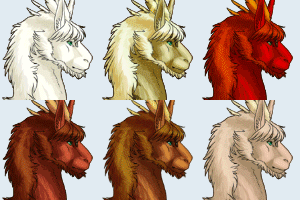
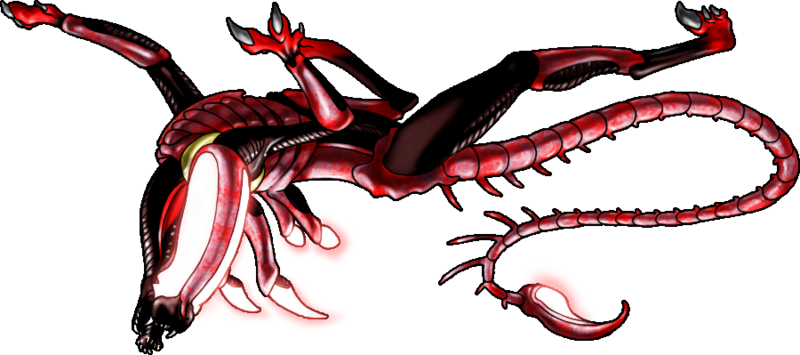
Jeebus criminey, you're fast! D:
Alright, this is your last one for Rutulus -- if you want more you'll have to send in someone else to do her work for her!
If Edoleyn was Rutulus' first warrior, than Idalon was her first thug. The burstling was tough as nails... little nails, at least for now!

Name: Idalon
Gender: Male
Breed: Xenodragon/Hathian/AAM Beast/Nightmourner/Whorling/Old World/Alskyrian/Danachian/Chaotic/SCD/Flurry/Piralan/Gryvern/Lesser Kynnese/Schatternaki/Geperna/Featherdragon/Iullerbrillan Mutt
Rank: Drone (Low)
Colour: Purple (With Red Boots)
Size: Medium (10' tall-shoulder, 23' long)
Abilities: Bioluminescence, Wall-Climbing, Acid Immunity, Acid Blood, Hive Mind, Resin Secretion, Telepathy
Basic Personality: Bullier, Brawler, Violent
Requires a Bond: Yes
Caretaker: Rutulus
Going With: JKatkina
Alright, this is your last one for Rutulus -- if you want more you'll have to send in someone else to do her work for her!
If Edoleyn was Rutulus' first warrior, than Idalon was her first thug. The burstling was tough as nails... little nails, at least for now!
Name: Idalon
Gender: Male
Breed: Xenodragon/Hathian/AAM Beast/Nightmourner/Whorling/Old World/Alskyrian/Danachian/Chaotic/SCD/Flurry/Piralan/Gryvern/Lesser Kynnese/Schatternaki/Geperna/Featherdragon/Iullerbrillan Mutt
Rank: Drone (Low)
Colour: Purple (With Red Boots)
Size: Medium (10' tall-shoulder, 23' long)
Abilities: Bioluminescence, Wall-Climbing, Acid Immunity, Acid Blood, Hive Mind, Resin Secretion, Telepathy
Basic Personality: Bullier, Brawler, Violent
Requires a Bond: Yes
Caretaker: Rutulus
Going With: JKatkina
>3 I are fast indeed.
http://artdragon.mine.nu/~kat/aven/drone-male.html
User Name: JKatkina
Email: jkatkina at gmail dot com
Caretaker/Bond Name: Edoleyn (could I ask that if the young'un needs a bond, they attach to Rutulus, though? Like maybe Edoleyn knocks them out and when they wake up they're with Rutulus?)
Caretaker/Bond URL: http://artdragon.mine.nu/~kat/aven/warrior-male.html
Hunting Preferences: Delicious warm and acidy. :D
http://artdragon.mine.nu/~kat/aven/drone-male.html
User Name: JKatkina
Email: jkatkina at gmail dot com
Caretaker/Bond Name: Edoleyn (could I ask that if the young'un needs a bond, they attach to Rutulus, though? Like maybe Edoleyn knocks them out and when they wake up they're with Rutulus?)
Caretaker/Bond URL: http://artdragon.mine.nu/~kat/aven/warrior-male.html
Hunting Preferences: Delicious warm and acidy. :D



Gavin's:
http://xenoqueen.deviant-uprising.com/S ... chyluc.htm
http://xenoqueen.deviant-uprising.com/S ... juboen.htm
He doesn't need to many new additions at once, especially if I want to keep squeezing him at xenos wherever people will still let me, but these still tempt, soooo....
No story this time. Too tired to get it out of my head. X3
User Name: Phoenix
Email: thexenoqueen@gmail.com
Caretaker/Bond Name: Satena-mekoze
Caretaker/Bond URL: http://xenoqueen.deviant-uprising.com/SCD/Satena.htm
Hunting Preferences: Compatible with the mini-hive plz, but no color/type prefs. (When you don't want your queen giving into those breeding urges, you go "adopt"!)
http://xenoqueen.deviant-uprising.com/S ... chyluc.htm
http://xenoqueen.deviant-uprising.com/S ... juboen.htm
He doesn't need to many new additions at once, especially if I want to keep squeezing him at xenos wherever people will still let me, but these still tempt, soooo....
No story this time. Too tired to get it out of my head. X3
User Name: Phoenix
Email: thexenoqueen@gmail.com
Caretaker/Bond Name: Satena-mekoze
Caretaker/Bond URL: http://xenoqueen.deviant-uprising.com/SCD/Satena.htm
Hunting Preferences: Compatible with the mini-hive plz, but no color/type prefs. (When you don't want your queen giving into those breeding urges, you go "adopt"!)

OMGYAY!  ! *scrabble to get the new little one paged*
And he's up! ^.^
http://unykness.pegaruny.com/MagisPrime ... gholax.htm
Also, those stripedy ones are -lovely-. @.@
*pause* ... *twitch* Darnit! Tell me I can't send Neptuss in again, Dray. XD;
! *scrabble to get the new little one paged*And he's up! ^.^
http://unykness.pegaruny.com/MagisPrime ... gholax.htm
Also, those stripedy ones are -lovely-. @.@
*pause* ... *twitch* Darnit! Tell me I can't send Neptuss in again, Dray. XD;
.
 ...
...  ...
... 
_________________
... ... _________________
Wow all mine are lovely, those opals though WOW! So pretty! I can just imagine their glowies
Author of Repurposed
kshau-protectorate.com
kshau-protectorate.com
The opal effect is something I nabbed from Kat -- previously I'd been doing it by hand or taking images of opals off of the internet and turning them into patterns!
Take your shading layer (if the lights and darks are on different layers, copy each and merge them) and put them at the top of the layer palette. merge this down with a layer of mid-grey so that the entire picture is just lights, shades and mid-colours.
Select the lightest colour, create a new layer, and fill that area with yellow. Go back to the grayscale layer, select the next-lightest colour, create a new layer, and then proceed to go through the rainbow.
You ought to wind up with between half a dozen and thirty new layers, each a slightly different colour than the last. Merge them all together and then merge the rainbow-layer with the grayscale, to get rid of the grayscale layer.
Gaussian blur the rainbow layer a touch so that it's not all pixelly. Drag this rainbow-y layer down to whatever portion of the template you want to show as opally... generally right above the base colour.
Change the opal layer to 'colour' or 'overlay' or whatever works best. You may have to adjust the opacity so that it doesn't look quite so much like rainbow-puke. XD
Alternately, change the rainbow-layer to 'luminosity' to get a metallic look.
:D
Take your shading layer (if the lights and darks are on different layers, copy each and merge them) and put them at the top of the layer palette. merge this down with a layer of mid-grey so that the entire picture is just lights, shades and mid-colours.
Select the lightest colour, create a new layer, and fill that area with yellow. Go back to the grayscale layer, select the next-lightest colour, create a new layer, and then proceed to go through the rainbow.
You ought to wind up with between half a dozen and thirty new layers, each a slightly different colour than the last. Merge them all together and then merge the rainbow-layer with the grayscale, to get rid of the grayscale layer.
Gaussian blur the rainbow layer a touch so that it's not all pixelly. Drag this rainbow-y layer down to whatever portion of the template you want to show as opally... generally right above the base colour.
Change the opal layer to 'colour' or 'overlay' or whatever works best. You may have to adjust the opacity so that it doesn't look quite so much like rainbow-puke. XD
Alternately, change the rainbow-layer to 'luminosity' to get a metallic look.
:D
My two are now adults on their page!
http://www.geocities.com/kavera_weyr/hindar
sooooooo tempted to send him one last time XD
http://www.geocities.com/kavera_weyr/hindar
sooooooo tempted to send him one last time XD


www.valmorran.com/malnev.html
www.valmorran.com/kavera_weyr.html - in progress
www.valmorran.com/wolfden.html - under construction
Ahh, well that makes the decision easier then! I didn't realize there was a firm limit on numbers I figured there was on number of "attempts", but this works - no hard decisions for me!
I love my three! *snugs Dray*
I figured there was on number of "attempts", but this works - no hard decisions for me!I love my three! *snugs Dray*
www.valmorran.com/malnev.html
www.valmorran.com/kavera_weyr.html - in progress
www.valmorran.com/wolfden.html - under construction
-
DragonFlight

- Dragon
- Posts: 1933
- Joined: Wed Jul 06, 2005 10:37 am
- Contact:
I'm confused on this one, Dray....is this like an on-forum signup clutch? Are there still any left? I can't tell. ^^;;
Database Being Revamped
'Epic' is most concisely defined as something that, were you to do it in view of a person in real life, they'd pretty much have to sleep with you immediately to maintain order in the universe.
I sneezed. It seems to have reshaped reality. My bad.
'Epic' is most concisely defined as something that, were you to do it in view of a person in real life, they'd pretty much have to sleep with you immediately to maintain order in the universe.
I sneezed. It seems to have reshaped reality. My bad.
Oh man, that sounds tedious. Does gradient-mapping not give a decent effect? Let's see....Dray wrote:You ought to wind up with between half a dozen and thirty new layers, each a slightly different colour than the last. Merge them all together and then merge the rainbow-layer with the grayscale, to get rid of the grayscale layer.

Okay, turns out gradient mapping just is tedium of a different sort. XD Even so, interesting technique, thanks for sharing! I may have to remember some of these tricks in the future, if I ever grow tired of my own current "opal" methods. X3

This clutch is 'sign up on the forum' style, but make sure that you read the hatching story at the pickup page to be sure you follow the rules! There are more left, and will continue to be more left until March 1, when the clutch will close.
As for the opal-stuff... it is a little tedious, but the whole process is very quick once you get into the swing of it. *select grayscale* *pick new colour* *make new layer* *fill* for a couple of minutes before you merge down. :D Then you can use that same template for different parts of the body, or for different effects later on!
As for the opal-stuff... it is a little tedious, but the whole process is very quick once you get into the swing of it. *select grayscale* *pick new colour* *make new layer* *fill* for a couple of minutes before you merge down. :D Then you can use that same template for different parts of the body, or for different effects later on!
-
DragonFlight
- Dragon
- Posts: 1933
- Joined: Wed Jul 06, 2005 10:37 am
- Contact:
Ohhhhh, I get it now. I feel like a dork. ^^;;; Thanks, Dray!
Database Being Revamped
'Epic' is most concisely defined as something that, were you to do it in view of a person in real life, they'd pretty much have to sleep with you immediately to maintain order in the universe.
I sneezed. It seems to have reshaped reality. My bad.
'Epic' is most concisely defined as something that, were you to do it in view of a person in real life, they'd pretty much have to sleep with you immediately to maintain order in the universe.
I sneezed. It seems to have reshaped reality. My bad.
Well, if Terter will forgive me the brief de-rail of her thread.... :o
I use Photoshop CS, so if that isn't your program of choice, your mileage may vary significantly.
I did what she did, first, with the merging copies of all my shading layers into one, getting a pure grayscale layer. (Yes, I use weird transparency box colors, I know.)

The Gradient Map option is over thisaway, on the Layers palette.

Clicking that with my grayscale layer selected wound me up here, where I futzed around with the gradient until it was a tolerable shade of rainbow puke. This was half the tedious part.

The other tedious part was blurring it and figuring out what layer position/blend setting looked best, and then hand-editting the gradient a little more (like to put some further dark areas in the shadows). In the end, I went with Screen, with the layer at the TOP of the group. This applied the colors to my shading layers which were already underneath, making the template be rainbow-shaded rather than just blue-shaded. That left me with this:

Obviously doesn't produce the same look as what Terry got on her xenos, but it is A look! XD And I only played around with it a short while, experimenting, so who knows--further messings with might produce even better effects.
And now back to your regularly scheduled xenomutt programming.
I use Photoshop CS, so if that isn't your program of choice, your mileage may vary significantly.
I did what she did, first, with the merging copies of all my shading layers into one, getting a pure grayscale layer. (Yes, I use weird transparency box colors, I know.)
The Gradient Map option is over thisaway, on the Layers palette.
Clicking that with my grayscale layer selected wound me up here, where I futzed around with the gradient until it was a tolerable shade of rainbow puke. This was half the tedious part.
The other tedious part was blurring it and figuring out what layer position/blend setting looked best, and then hand-editting the gradient a little more (like to put some further dark areas in the shadows). In the end, I went with Screen, with the layer at the TOP of the group. This applied the colors to my shading layers which were already underneath, making the template be rainbow-shaded rather than just blue-shaded. That left me with this:
Obviously doesn't produce the same look as what Terry got on her xenos, but it is A look! XD And I only played around with it a short while, experimenting, so who knows--further messings with might produce even better effects.
And now back to your regularly scheduled xenomutt programming.
How the hell did I miss that there was an adult rofutec already posted? sheesh.
I really like Nijosys :D
I tried both the manual and gradient mapping opal stuff. It worked out save for two things - it seems I jump to hard shadows too fast in my shading :s, and the opal layer just vanishes when you give it a blending option on top of a white dragon. I guess putting it over the shading layers like Phe did would help that? I futzed around with it and still got it to look opal though, or at least I think so.
Thanks for the explanations, and sorry I hijacked your thread.
I really like Nijosys :D
I tried both the manual and gradient mapping opal stuff. It worked out save for two things - it seems I jump to hard shadows too fast in my shading :s, and the opal layer just vanishes when you give it a blending option on top of a white dragon. I guess putting it over the shading layers like Phe did would help that? I futzed around with it and still got it to look opal though, or at least I think so.
Thanks for the explanations, and sorry I hijacked your thread.
Mud -- the blur tool can help round out your shadows for the purpose of getting some yummy opal goodness there. :D Also it helps to fiddle with the gradient you're using, sometimes colors need to be spaced out funny.
As for putting the irridescence atop white, using a not-quite-white, like slightly greyish or slightly tinted a color will fix that right up. :D
Phe -- I think yours may look different than what Dray's doing because you're using the opposite direction of rainbow from us! XD Mine starts with orange for the very brightest parts, moves through yellow-green-blue-purple-red towards dark, finally finishing with orange again in the blackest of the black.
As for putting the irridescence atop white, using a not-quite-white, like slightly greyish or slightly tinted a color will fix that right up. :D
Phe -- I think yours may look different than what Dray's doing because you're using the opposite direction of rainbow from us! XD Mine starts with orange for the very brightest parts, moves through yellow-green-blue-purple-red towards dark, finally finishing with orange again in the blackest of the black.
-
dracosinfernoweyr

- Dragon
- Posts: 1181
- Joined: Wed Jul 06, 2005 10:52 am
- Location: Concord, NC
- Contact:
Dude, Dray, I just realized where I've seen Ybelain before. He lives over my bed in the form of this guy!
I just thought that was kinda cool. :D
Also, ignore the dogfeet. Or witness the brave xeno-eating dog. X3
I just thought that was kinda cool. :D
Also, ignore the dogfeet. Or witness the brave xeno-eating dog. X3


-
dracosinfernoweyr
- Dragon
- Posts: 1181
- Joined: Wed Jul 06, 2005 10:52 am
- Location: Concord, NC
- Contact:
I has a set!
The only place you'd be able to find them nowadays is ebay I'd think. These guys were purchased around the time one of the Aliens movies was released when I was a kidlet and have hence seen the brunt of my "loving", which is why the winged one only has one wing, I broke the little bit that holds in on off. :(
They had a whole line of them out, based on different animals they burst from I guess.

The only place you'd be able to find them nowadays is ebay I'd think. These guys were purchased around the time one of the Aliens movies was released when I was a kidlet and have hence seen the brunt of my "loving", which is why the winged one only has one wing, I broke the little bit that holds in on off. :(
They had a whole line of them out, based on different animals they burst from I guess.